MASA — Quran & Prayer App
A Muslim lifestyle mobile app built with Expo SDK 54 & React Native by a 4-person team at Universitas Muhammadiyah Surakarta (UMS).
Screenshots
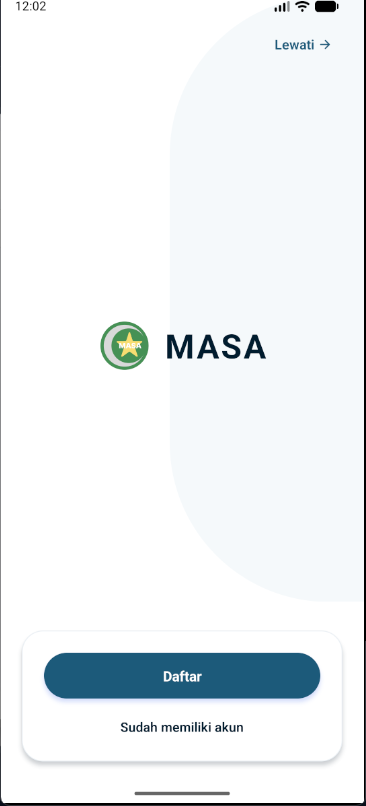
Project Goal
This project is a functional clone of the MASA App (Muslim Lifestyle Application by Muhammadiyah Software Labs), built as an assignment for the Mobile Computing course at UMS. The goal was to replicate its core Islamic utility features — prayer schedules, Al-Quran, Qibla compass, duas, and Islamic calendar — while applying professional development practices: feature-branch workflow, pull request reviews, and EAS cloud builds.
- check_circleReplicate the MASA App's core features using Expo SDK 54 & React Native
- check_circleCollaborative development via feature branches, pull requests, and peer code reviews
- check_circleIntegrate real APIs: Al-Quran data, GPS-based location, and Magnetometer sensor
- check_circleDistribute via EAS Build — standalone APK runnable without Expo Go
Features
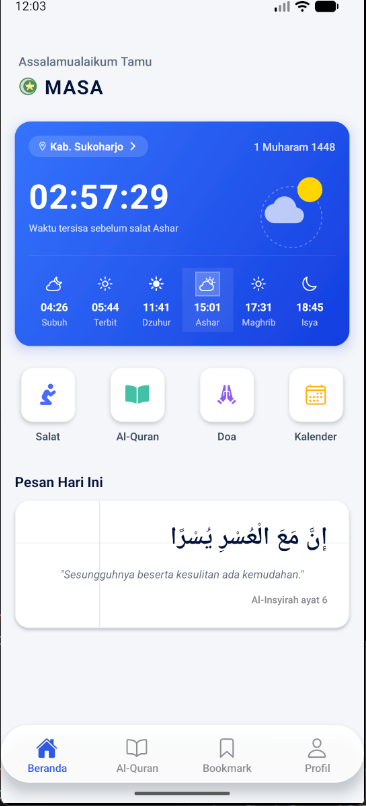
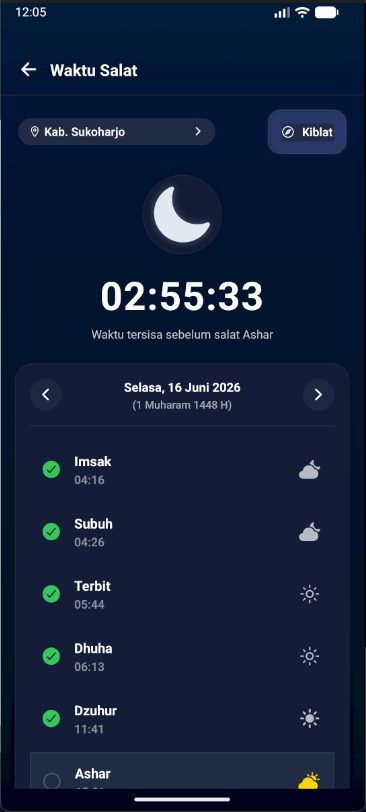
Prayer Schedule
Real-time countdown to the next salat with dynamic time calculations and GPS-based location detection.
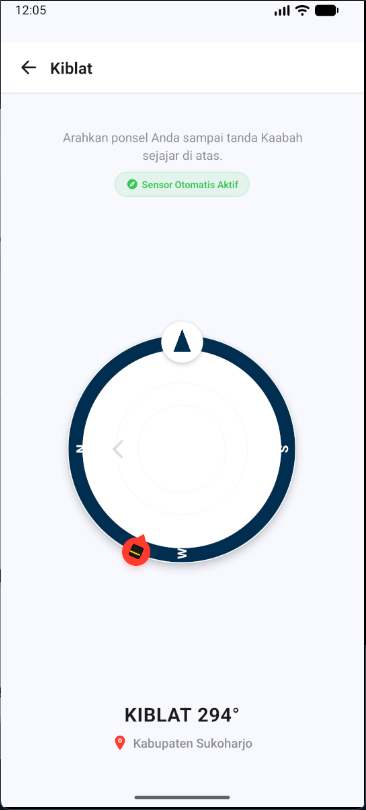
Qibla Compass
Magnetometer sensor tracking with interactive manual fallback for emulators. ±6° precision indicator.
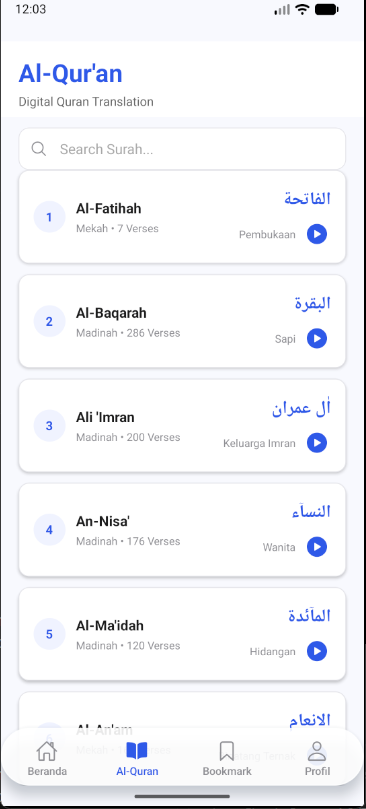
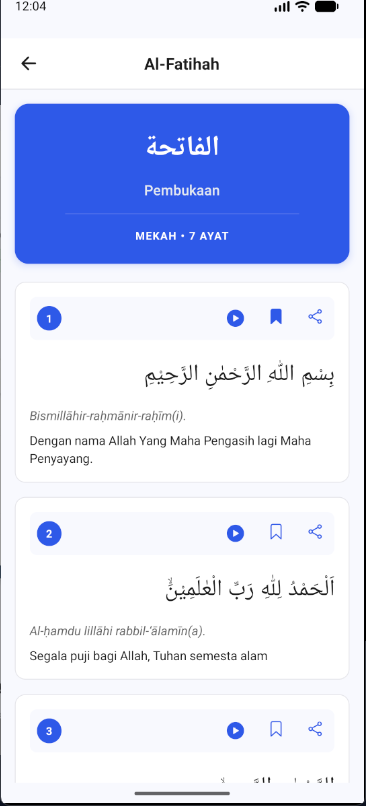
Al-Quran Digital
All 114 surahs with Arabic typography, Latin transliteration, and Indonesian translations per ayah.
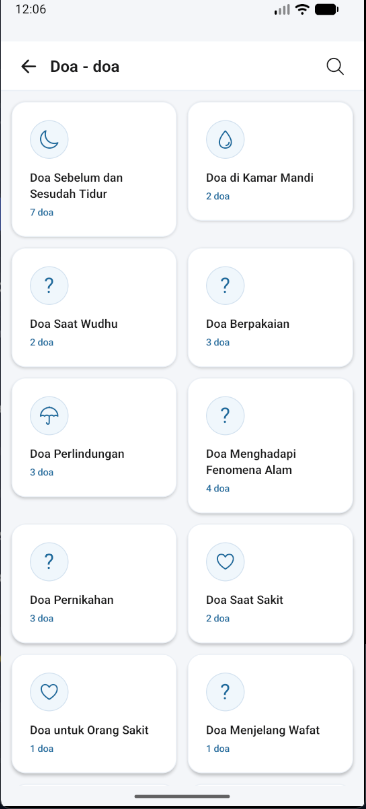
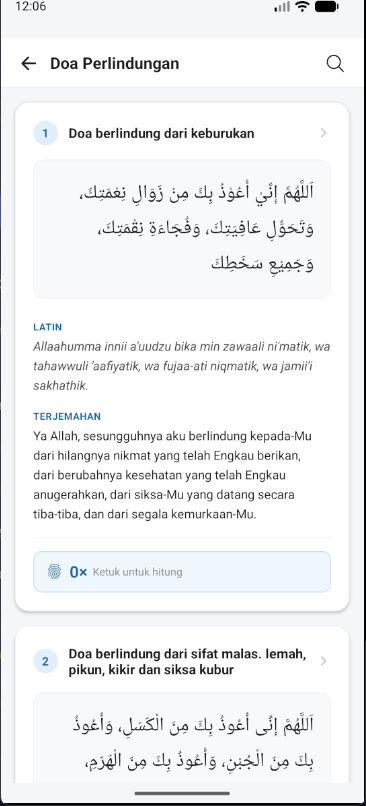
Daily Duas
Categorized dua collection with Arabic text, transliteration, fadhilah, and reference sources.
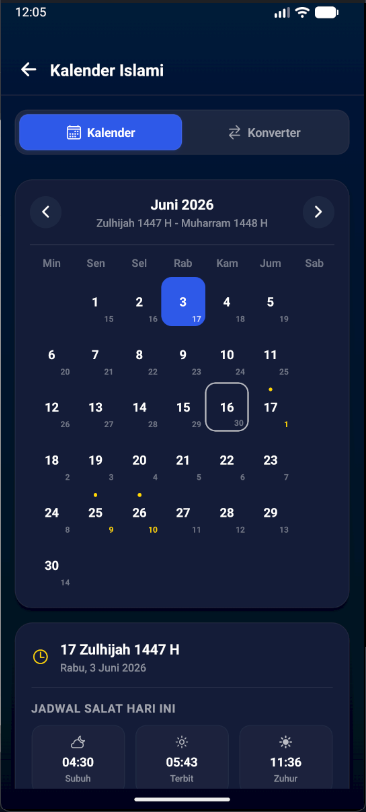
Islamic Calendar
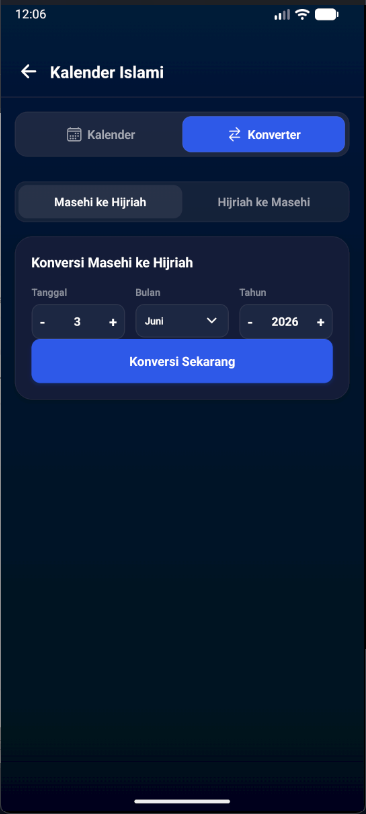
Dual-date monthly grid mapping Gregorian to Hijri dates with Islamic holiday indicators.
Date Converter
Bidirectional Hijri–Gregorian converter using Julian Day algorithm for accurate date math.
Bookmarks
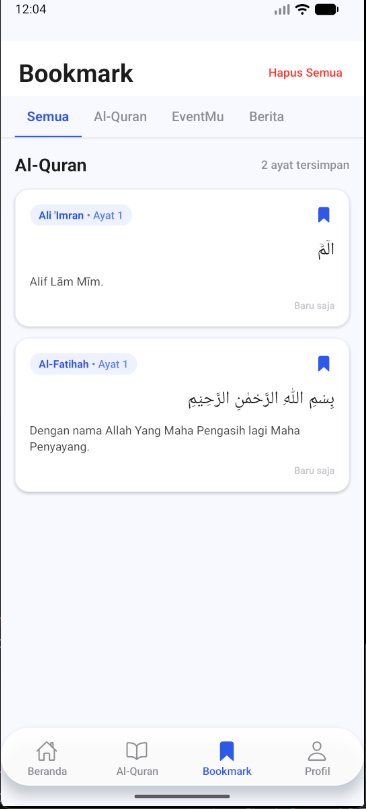
Save and track reading progress across Al-Quran surahs with categorized bookmark management.
AuthenticationDemo / dev only
Clerk-powered email, password & Google OAuth login. Automatic mock mode for local testing without API keys. Full Clerk authentication only works in development — production OAuth is not configured for public use.
Technology
Libraries, frameworks, and external services used across the project.
- smartphoneExpo SDK 54
- codeReact Native
- routeExpo Router
- lockClerk Auth
- exploreexpo-sensors
- location_onexpo-location
- volume_upexpo-audio
- storageAsyncStorage
- buildEAS Build
- apiAl-Quran API — equran.id. Full 114 surah list and ayah-level detail with translations.
- location_onReverse Geocoding — expo-location converts GPS coordinates to city names for prayer time localisation.
- sensorsMagnetometer — expo-sensors reads the device magnetic field to compute real-time Qibla direction.
Architecture
The project uses a feature-branch workflow. Each member worked on a dedicated branch and opened a pull request into develop for review before merging. The final state was merged into main for submission.
Contributions
Commit history from the project Git log, grouped by author. All 4 team members are from Universitas Muhammadiyah Surakarta (UMS).
- a0bdc1efeat: setup baseline project configuration and UI components
- 646ca91feat(constants): add hardcoded prayer (doa) data
- d642d4ffeat(doa): add daily prayer list screen
- de0ce6bfeat(doa): add prayer detail screen by category
- bceca88feat(salat): add full prayer times schedule screen using Aladhan API
- 182bf53feat(home): add home screen with prayer schedules and daily prayers
- d69864efeat(bookmark): add bookmark screen for last read surah
- f4ab1cfadd layout for bottom tab navigation
- 17c894cadd quran interface
- dd49d25adding surah id and list
- ec573f7Create documentation folder, add placeholder.txt
- 01b32f7add .md files for documentation
- b9fb4fbAdd files via upload
- ce178d7add home screenshot
- c3a8ee1add prayer screenshot
- 5fb0d81add kiblat screenshots
- d8a2cc5add surah screenshots
- f69f730add doa screenshots
- cbe4e10add calendar screenshots
- d611ca3add bookmark screenshot
- 0ec14cfEnhance README with more project screenshots
- 2416c43feat: initialize project with Expo and TypeScript setup
- c9f80f4feat: configure EAS build for standalone APK
- e1e925dMerge develop into feature/eas-build
- 1db4bcbMerge pull request #6 from feature/eas-build
- d4afd1aMerge pull request #8 from develop
- e3b6619feat(auth): add sign-in and sign-up screens with Clerk integration
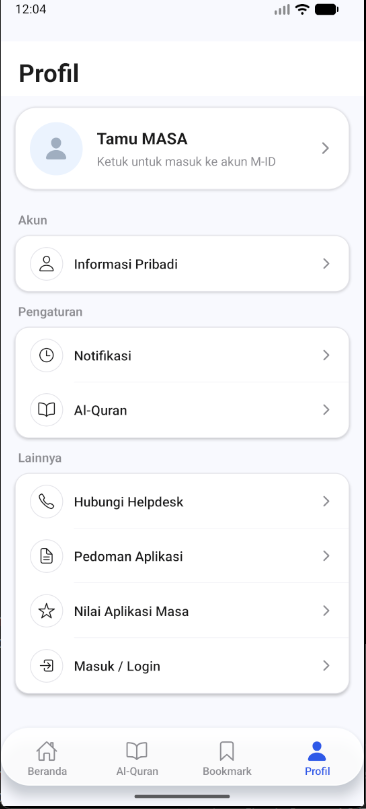
- f64795bfeat(profile): add profile screen with user information and settings
- 40fedacrefactor: remove unused components and consolidate authentication layout
- 4d1a306refactor: remove unused files, update Clerk integration
- 982dd6dfeat: integrate audio playback and bookmarking features
- 0eb6b1efeat: update dependencies and add salat schedule hook
- d859623fix: update default user name and email for unauthenticated users
- 26a1d04refactor: remove prototype component
- 857dfe3docs: update team member details in project documentation
- 321832adocs: update formatting and enhance clarity in README
- 0b162b6docs: update team member contributions in README
- a7509a8feat: initialize showcase project with Next.js and TypeScript
Post-Submission Updates
The submitted version has been updated to address several issues and complete unfinished functionality identified after submission. Updates by cokecaine (Affan Ilham Arsyila, L200234024).
| Feature | State at submission | Fix |
|---|---|---|
| Bookmarks | Broken — feature incomplete | Fully implemented bookmark save/remove and reading progress tracking |
| Audio Playback | Broken — audio did not play | Integrated expo-audio with proper playback controls and state management |
| Salat Schedule | Hardcoded times — no API fetch | Replaced static data with a live prayer-time calculation hook using device GPS coordinates |
| GPS Location | Not working — always fallback city | Fixed expo-location permission flow and reverse geocoding to correctly resolve the user's city |